
Looks fine before uploadSimple tile split
The files look correct, but the composition breaks once profile crop and gutter behavior kick in.









Instagram grid planner
Design one connected layout, preview real profile crops and gaps, then export every post in the right publishing order — without trial uploads.
The files look correct, but the composition breaks once profile crop and gutter behavior kick in.
Composition and export order are checked against the surface people really see inside Instagram.









The problem
Most online tools only split one image into tiles. They do not optimize the result for the real Instagram profile surface.
Canva and Figma can get you part of the way, but for this use case the workflow is slow, manual, and too dependent on design skill.
Teams end up testing by hand in Instagram and still miss the fact that the uploaded landing no longer reads as one clear composition.
Expectation vs reality
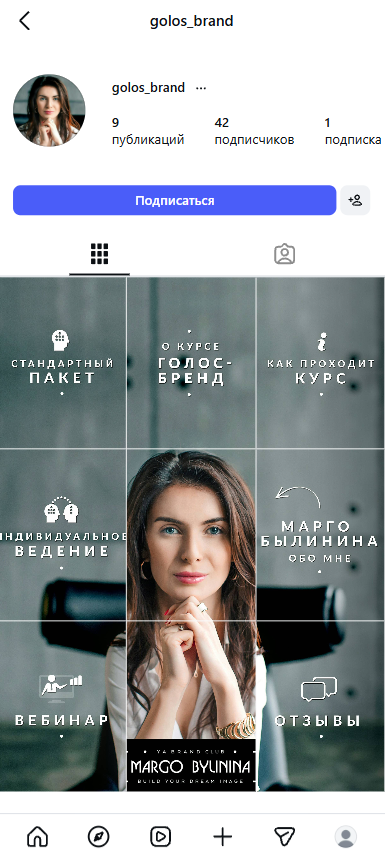
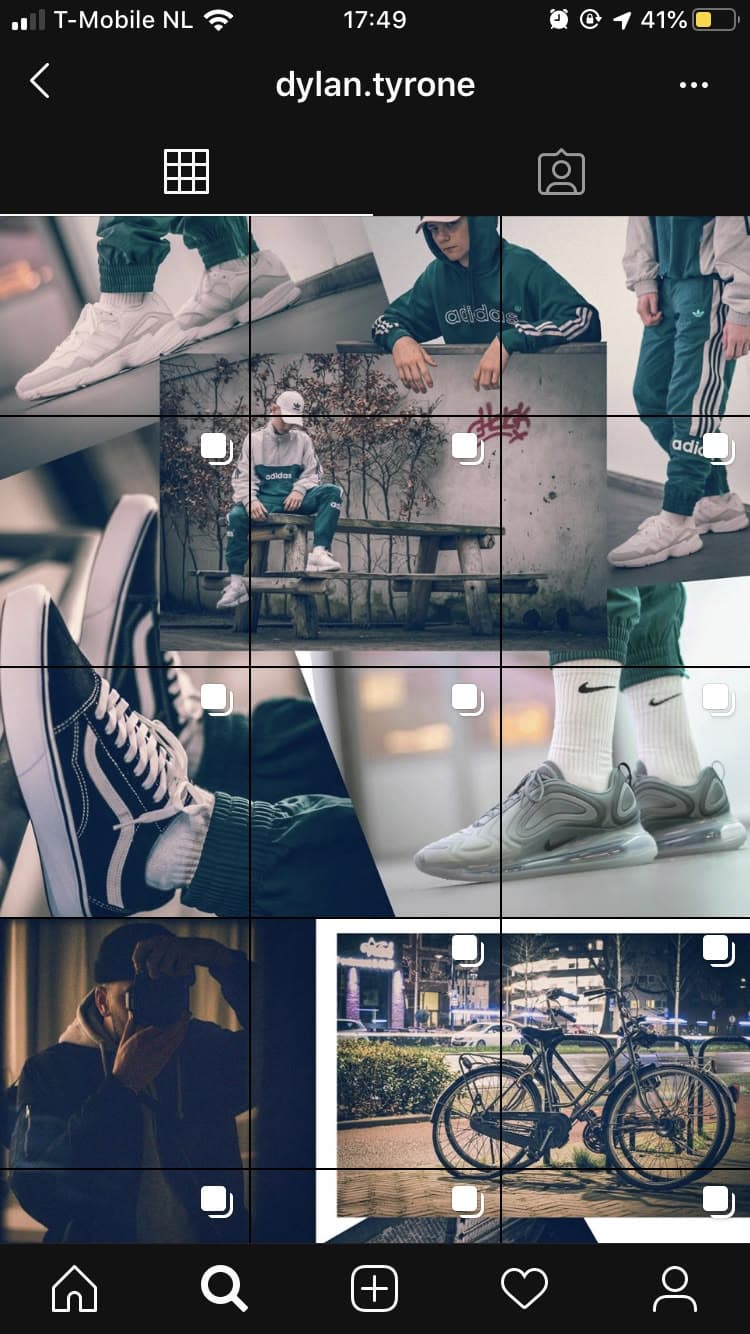
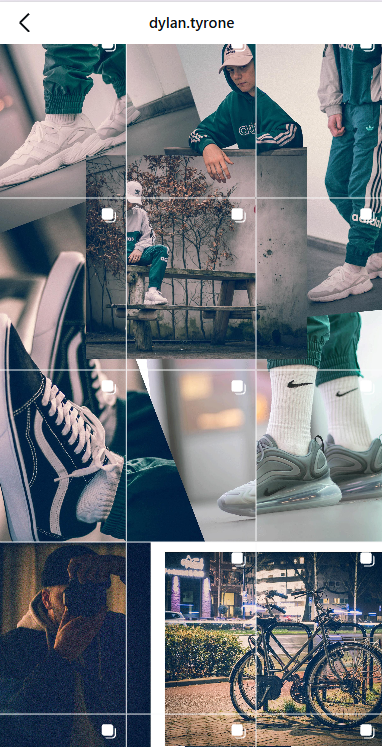
These cases show the same pattern from two angles: the reference collage looks clean before upload, then profile chrome, crop, and gutters push the composition off once it is live.
As a concept image, the landing looks centered and tidy. Nothing in the mockup shows how the live profile surface will shift it.
After publishing, the same landing no longer reads as one clean layout: the tiles drift, the center shifts, and the composition stops behaving like the reference.

The solution
Build one continuous landing first, then let the editor slice it without losing the big-picture composition.
Add local text and accents only where each square needs its own message, without breaking the overall landing.
Check the profile view against modern thumbnail behavior before you export anything.
Export in the posting order that preserves the landing reveal instead of leaving the last step to guesswork.
Service definitions
These short definitions help search engines, AI search, and human buyers understand the product without guessing.
Instiles is a browser-based tool for planning connected Instagram layouts in 1x3, 2x3, 3x3, and 4x3 formats.
The editor previews how connected posts behave inside the real Instagram profile surface, including crop and visible gaps.
Instiles exports tiles in the posting sequence needed to reveal a connected landing instead of leaving publish order to guesswork.
Examples
Explore connected layouts made for launches, editorial stories, profile resets, and visual campaigns.



Short answers
Instiles is an online Instagram grid planner for connected posts, landing-style feeds, and publish-order export.
It focuses on profile-aware preview instead of simple image splitting.
It is built for creators, brands, studios, and agencies that need Instagram layouts to still read clearly after publishing.
The current editor is available for free. A paid Pro layer is planned for reusable templates, saved work, and broader workflows.
Instiles is an online product available worldwide, with English and Russian landing pages for remote teams and creators.
Workflow
Compose the master grid with global and tile layers.
Preview the profile as people will actually see it on mobile.
Export nine posts in the exact order the feed needs.
Pricing snapshot
The commercial model is still early, so the page states what exists today and what is only planned next.
Use the core editor, seam-aware preview, and export flow without a paid plan while the product is validating its main workflow.
See pricingThe next paid layer is aimed at templates, saved projects, team workflow primitives, and broader publishing operations.
View roadmap pricingFAQ
Each answer is short enough for answer engines but specific enough to be useful to buyers and marketers.
A basic splitter cuts one image into squares. Instiles focuses on how the full composition will actually read inside the Instagram profile after publishing.
Yes. It is designed for campaign landings, promo drops, editorial grids, creator launches, and other connected-post layouts.
Not as a full design suite. It solves a narrower job: building Instagram layouts with profile-aware preview and export order.
Yes. The public editor is available now, while broader account, billing, and advanced workflow layers are still evolving.
Yes. It is a web-based product, so planning and export can be done remotely for brands and creators in different markets.
You can contact the product directly through the contact page, email, or Instagram profile when available.
Trust sources
Instead of generic marketing claims, Instiles exposes product proof, limits, and support paths in public.
Visitors can test the core editor before committing to a future paid layer.
Open the editorThe docs explain the model, export logic, and current MVP boundaries instead of hiding them behind sales copy.
Read the docsThe site exposes privacy notes, direct contact routes, and waitlist handling openly.
Read privacyReviews and validation
Instiles is still early, so this section uses verified product evidence and transparent validation signals instead of invented star ratings or fake testimonials.
The homepage shows a direct before-and-after explanation of how a clean mockup can drift in the live Instagram profile surface.
The docs explain where seam compensation helps, where it stays risky, and which broader workflows are not yet part of the MVP.
Users can reach the product directly through email and contact routes instead of being forced into anonymous lead funnels.
Geography
Instiles is online-first and suitable for remote use across multiple markets.
The product is accessible online for creators, brands, and agencies working across global or remote campaigns.
The public marketing surface is available in English and Russian for broader discovery and onboarding.
Planning, preview, and export happen inside the browser, which makes the workflow location-independent.
Contacts
Use the form for a quick message, or jump directly to email and Instagram.
For product questions, partnerships, or launch-related conversations.
anthony.vbrest@gmail.comOpen the Instagram profile for updates, references, and future landing examples.
Open InstagramNext step
Open the editor, choose a grid size, and turn one composition into ready-to-publish posts.